


New article
Recently updated
Processing a complaint

Who is this article for?
Users responsible for managing complaints.
No special access or permissions are required.
The Inbox holds all new, unidentified inquiries (also called submissions) where you review them before they proceed to the Ideagen ANOMS database for investigation and processing.
Investigation and response to any complaints or submissions that request a required response are done using the functionality provided by the integrated Complaints Browser and Enquiry Manager.
This article explains how to process received complaints.
1. Matching contacts
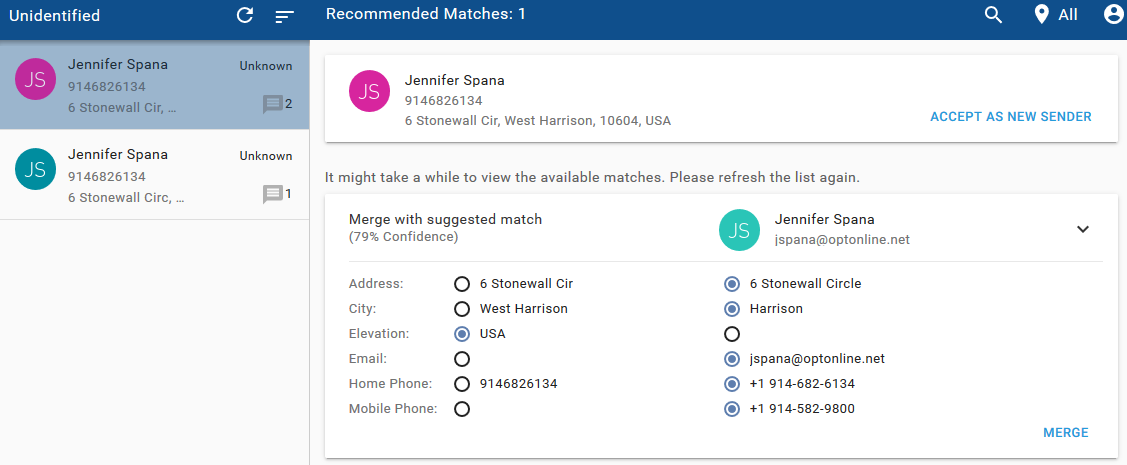
When the system finds a potential match to a previous contact where enough details match or are similar, it offers two options:
- Merge - Choose which fields to retain to create a better contact profile.
- Accept as New Sender - If the match is incorrect.
After you take these actions, the submission is ready to proceed through the system for evaluation and processing.
2. Handling duplicates
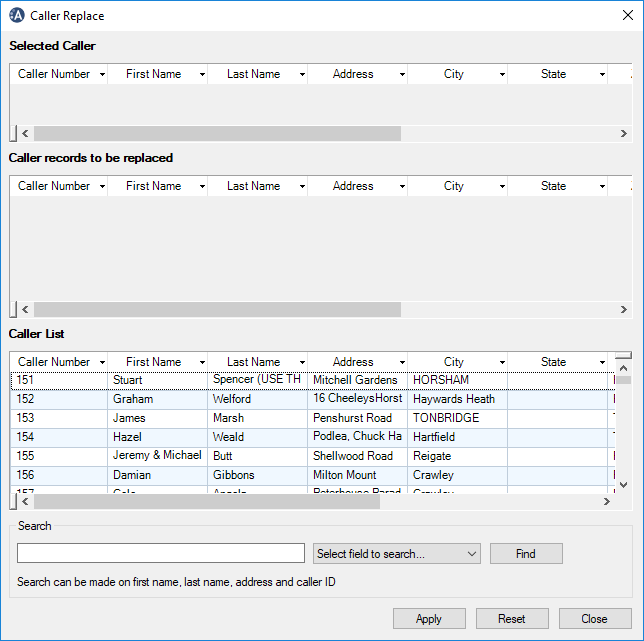
If a duplicate complainer reaches the Ideagen ANOMS database, you can merge callers using the Caller Replace function via dialogue on the Enquiry Manager page.
If Ideagen ViewPoint is used in a different, non-ANOMS context, our Support team can perform this action for you.
3. Using the sender panel
The sender panel provides a complete summary of the contact's complaint history.
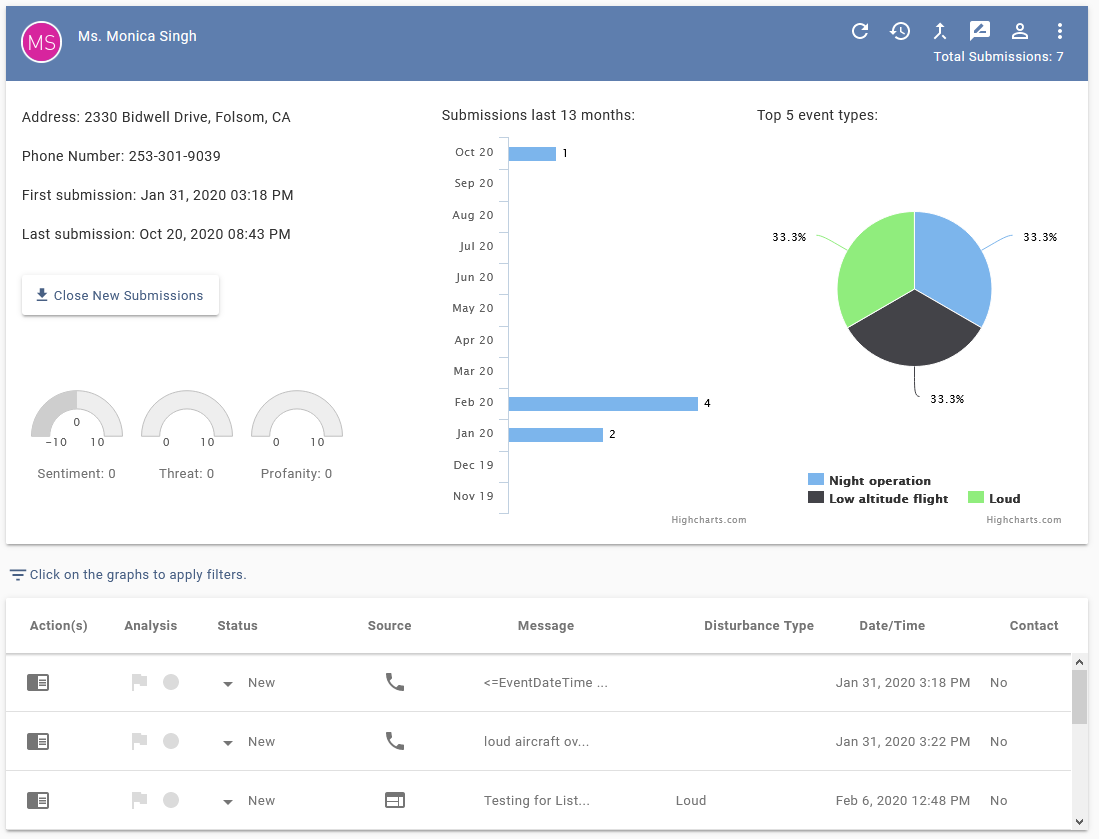
The panel includes the Close New Submissions button, which helps manage persistent bulk complainants by changing all complaints at the bottom of the screen from New to Closed.
To view more information:
- Hover your mouse over screen elements to display additional information for that section.
- Click elements to filter down the view.
- Review the tooltips for each icon in the top right to understand their functionality and use.
Note
For systems and customers using the Ideagen Viewpoint complaints gateway, sender or complainant contact details are locked from editing, so Ideagen Viewpoint can handle this aspect of maintenance.